Ultimate Toast Notification System
A highly customizable, animated toast notification component. Features slide-in animations from any corner, success/error/warning variants, auto-dismiss progress bars, and buttery-smooth exits.
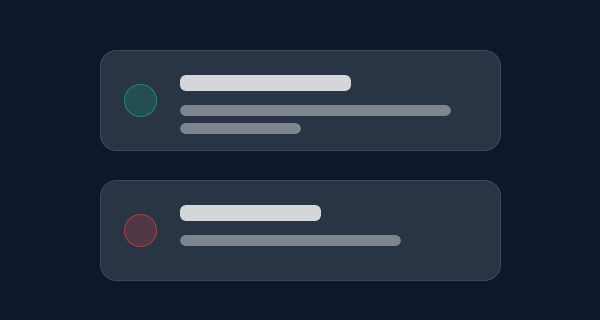
Stop relying on the ugly browser alert() function. This Ultimate Toast Notification System provides a highly polished, interactive framework for alerting users with fluid animations, auto-dismiss timers, and beautiful glassmorphism variants.
Component Highlights
- Four Unique Variants: Fully styled
success,error,warning, andinfotypes with dedicated color palettes and SVG iconography. - Omnidirectional Positioning: Dynamically spawn notifications from any corner (
top-right,bottom-right,top-left,bottom-left) via simple positioning container classes. - Animated Progress Bars: Users visually see how much time is left before the toast auto-dismisses via a sleek CSS-animated progress line at the bottom of the card.
- Buttery Smooth Physics: Slide-in entrances and fade-out exits are powered by hardware-accelerated transforms and
cubic-beziercurves for maximum fluidity. - Lightweight Javascript: A single, clean constructor class handles DOM generation, timeout clearing, and click delegation for manual dismissal.
Quick Setup Guide
1. The Javascript Controller
The system is controlled via a simple class that constructs the DOM elements on the fly. You don’t need to clog your HTML with hidden templates.
// Example Usage
Toast.show({
  title: "Operation Successful",
  message: "Your changes have been saved to the database.",
  type: "success",
  position: "bottom-right", // top-right, bottom-right, top-left, bottom-left
  duration: 5000 // Time in milliseconds
});
2. The CSS Structure
The toasts are absolutely positioned within fixed corner containers. The progress bar animation uses CSS variables to calculate its precise duration relative to the Javascript timer.
/* Core Toast Container */
.toast {
  position: relative;
  background: rgba(255, 255, 255, 0.05);
  backdrop-filter: blur(12px);
  border: 1px solid rgba(255,255,255,0.1);
  border-radius: 12px;
  padding: 1rem 1.25rem;
  display: flex;
  gap: 1rem;
  overflow: hidden;
  box-shadow: 0 10px 40px rgba(0,0,0,0.3);
  animation: slideIn 0.4s cubic-bezier(0.16, 1, 0.3, 1) forwards;
}

/* The Auto-Dismiss Progress Bar */
.toast-progress {
  position: absolute;
  bottom: 0;
  left: 0;
  height: 3px;
  background: var(--toast-color);
  width: 100%;
  animation: progress var(--toast-duration) linear forwards;
}

@keyframes progress {
  100% { width: 0%; }
}

@keyframes slideIn {
  0% { transform: translateY(20px) scale(0.95); opacity: 0; }
  100% { transform: translateY(0) scale(1); opacity: 1; }
}
This resource is completely vanilla—no external frameworks required. Simply drop the CSS and Javascript files into your project and start triggering beautiful alerts instantly!